|
|


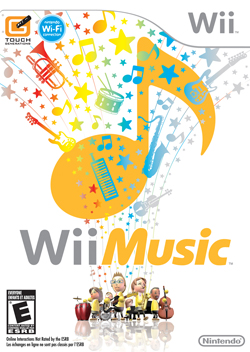 |
The gameplay revolving around Wii Music is all about making you feel like you’re in a band. It does a good job of recreating the mass amount of instruments you’ll get to play, such as a violin, drums, guitar or even barking like a dog; though, each will have you just waving your arms or pressing buttons in no set order. Unfortunately, that’s all there is to the game.
Once you've started up the game, you will be instructed on how to work some of the most basic instruments. As every type of instrument you play works off similar mechanics, this is a good way to make sure you know how to play anything in the game.
As mentioned above, Wii Music game has four game play modes that are all unlocked for you from the get go. The most basic of these is Jam which is like a "quickplay" mode. In Jam you get three choices, Instrument Improv, Quick Jam and Custom Jam. Instrument Improv lets you pick one of the available instruments and just lets you mess around with it. After a few seconds "Tutes" (computer players) will join you until you have a full band. It does a good job of making you feel like, all together, you’re making music, since the computer players will play their instruments at the same pace you are. This won’t last for long though as you don’t have any task or goal to this besides just play until you’re done. Quick Jam is exactly what it sounds like; you get set up with a random instrument and song and go right into it. Custom Jam is similar, except you get to choose which instrument you want and which ones you want the Tutes to be playing along with you.
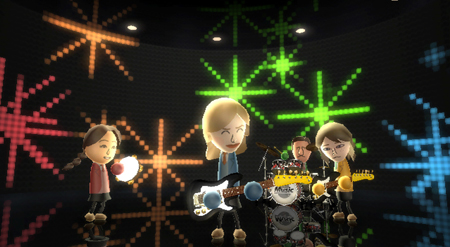 Your Miis rock out while you flail your arms about. Yep, that rhymes. |
The next mode is Lessons, which, again, is just what it sounds like, tutorials. It includes the lesson you had to go through when you first began playing, and another for harder skills.
The third mode is Games, which I personally found to be the best of the four choices since it contained the most in terms of varying game play elements. In this you can choose Mii Maestro, Handbell Harmony or Pitch Perfect. Mii Maestro is the least enjoyable of the three. You get to be a conductor. This includes waving your wii-mote up and down as the virtual Mii band plays along at your speed. The difficulty here goes up by the addition of a percentage at the end. You get a higher (better) percent if you played at the correct speed and hit A or B to make the band play a special note at the right times. The downfall here is that there is nothing to tell you when to play these notes or the correct speed to go at. You have to guess whether you’re going at the right speed or not; and finding out when there are slow parts can be impossible if you have never heard the song before.
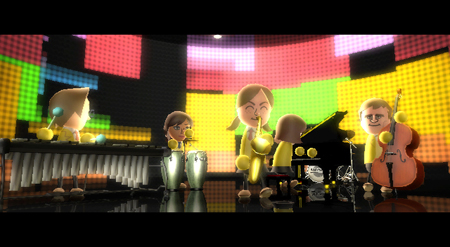 Prepping for a solo. |
Handbell Harmony was my personal favourite part of the game by itself. It’s the closest to an average rhythm based game, where you can see the notes coming across and what the correct time to swing your “bell” is. Each song is made up of eight different bell sounds and you control two of them. When you see your color of bell coming, you either swing the Nunchuck or the Wii Remote in time with the song to play it properly. To make it harder, the game throws in special notes that make you have to hold a button down while swinging to hit the note. However, this mode is generally too easy and since you only control two of the eight bells, there will be times where you’re either just the back beat or you might not even play that often because you might be an uncommon bell pitch.
Pitch Perfect is small mini game that is taken a bit too far. You get eight levels of difficulty, fittingly titled Level 1 though 8. In this game you need to match tones and pitches by singing or playing Mii’s to one another. You will encounter things like “match the Mii that has the same pitch as the speaker” which will require you to listen to each Mii sing and then select one. This mode gets boring quickly and you won’t enjoy every minute of the eight levels if you feel the need to go through them all.
Videos is the final mode. This is more of a music video like option where you can watch any of the past performances you have saved. In modes like Custom Jam, you’re able to save the performance you just did in order to watch it later here. This is also where the online aspect of Wii Music comes in, because it allows you to share your video with friends who own the game. The downfall to this is it’s just for watching. Most people would rather go and play that song than sit there and watch their Mii(s) play it by themselves.
The graphics in the game are fine, but you shouldn’t expect them to be bad since we’re dealing with almost Lego like detail for the Miis. Apart from that, everything is just a video played behind your own personal character so you don’t control very much of it.
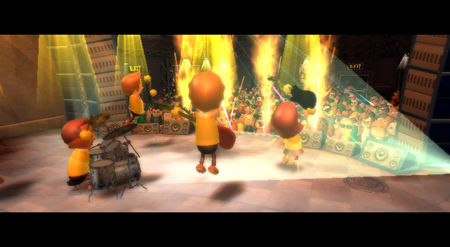 Pleasing the crowd. |
The biggest benefit in Wii Music would have to be its library of songs. The game contains over thirty songs that range from Happy Birthday To You all the way to Material Girl by Madonna. Nintendo has even thrown in some of its own songs like F-Zero’s Mute City Theme and The Legend of Zelda Theme. The Nintendo songs are, personally, my favourite to play and I had the most fun with them. The majority of these songs are fun to play, especially since you can customize the instruments playing them to sound themes like “Galaxy” which makes everything sound all techno-like. However, the overall selection of music probably isn’t what most people really want to hear/play. The bottom line – Does anyone really want to play O Christmas Tree that badly?
The worst part of Wii Music is that it has no replay value. Any replay value you will find will just be because you, most likely, didn’t play it for very long during your last gaming session. The game's core gameplay element is so linear that you won’t find much of a need to continue with it for very long. After you get the just of how every instruments mimics a good portion of the others, there’s nothing really new to experience.
Unlike most music rhythm games, there’s no “note chart” that is scrolling across the screen. You’re left to play the notes in whatever way you like. Though it does try to mix things up a bit, for example, hold the A button down when swinging to hit the drum so you make a different noise. These don’t really have much of an impact to the game as it plays the note it has to in order to complete the song properly. This means that if you’re not playing outside the original song chart, no matter what special notes you’re playing, they won’t sound different. This gives you the feeling that you don’t have very much control.
Overall, Wii Music feels more like a full priced mini game collection that had a lot of work put it in; despite the fact that this work didn’t help make it a game worth the money you’ll put down. The repetitive gameplay will make you wish for more and the short extra modes will only be fun for an hour at tops. The game does offer four modes, but only two of them let you actually play parts of the game. And the gameplay you’ll be faced with is either vertical arm waves, or hitting the two buttons when you think the timing is appropriate. Wii Music is just too linear.
 Wii Music has an optional drum mode, if you've got the Balance Board. |
It should be noted that Wii Music can be played with the Balance Board for use with a special in-game drum mode. This allows you to not only swing your arms to hit the notes, but tap your feet to hit the "foot pedals" as well. I however didn’t have access to a Balance Board and was unable to test out this feature.
4/10
Verdict: Forget It
© Copyright 2002-2026 by Toon Doctor Inc. - All rights Reserved. All other texts, images, characters and trademarks are copyright their respective owners. Use of material in this document (including reproduction, modification, distribution, electronic transmission or republication) without prior written permission is strictly prohibited.